How to book a visit on a Flote
If someone shared a Flote with you, you can request one of the visit times their family has made available. A public Flote lets you request a visit without an Aflote account.
Choose a time
Open the Flote link and check that the page says Visits are welcome. Under How you can help, look for In-person visits with a Sign up to visit button. You can also find In-person visits by choosing Ways to Help in the Flote's navigation.
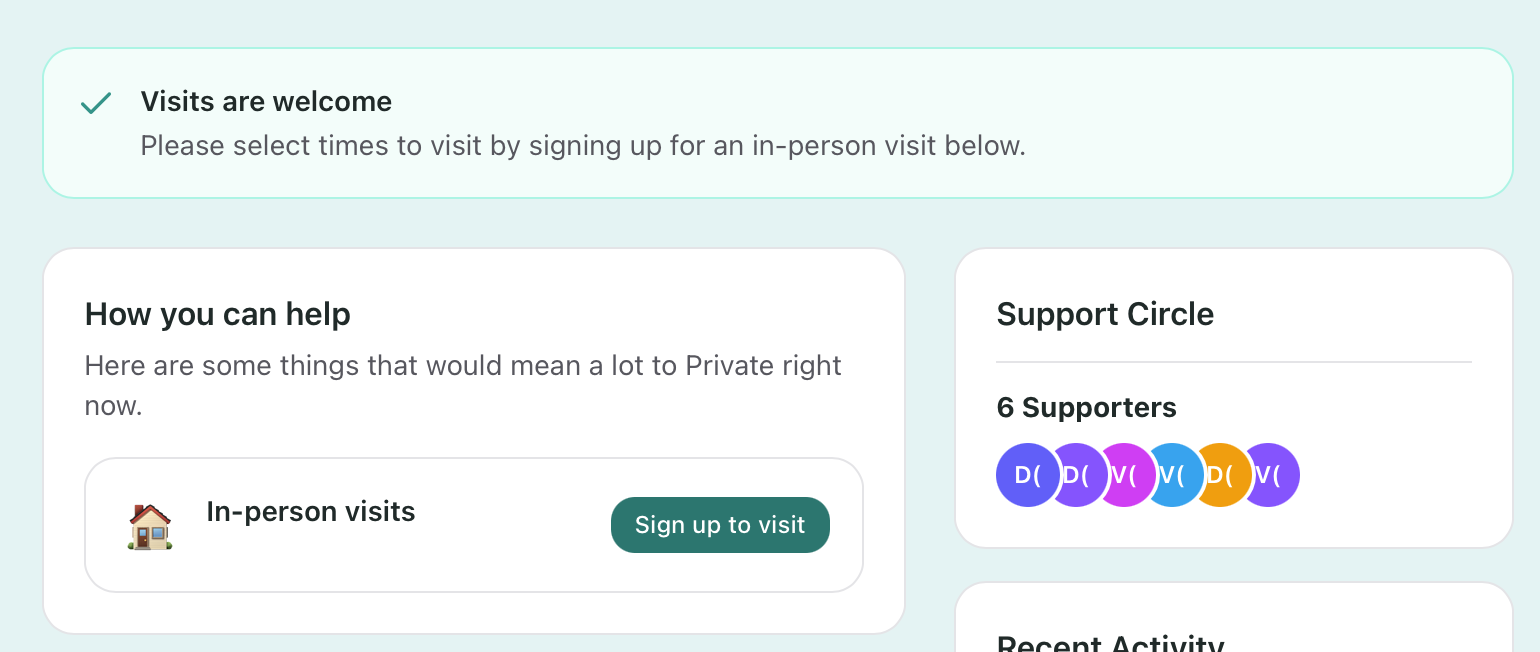
Only continue when you see both Visits are welcome and In-person visits. If either is missing, ask the family whether they are accepting visit requests. Choose Sign up to visit when both are shown.
The visit section opens with Pick a time. Dates with available times are marked Available. The timezone named under Times shown in is the timezone used for the available times. Use that picker if you need to view them in a different timezone.
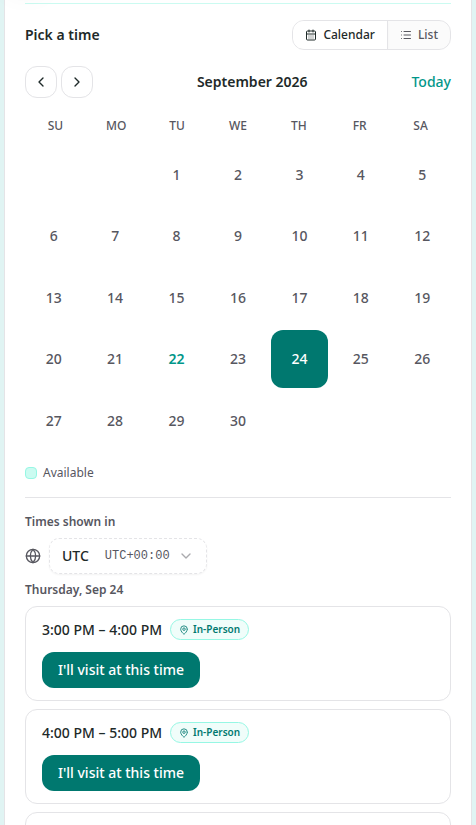
Choose an available date, then choose I'll visit at this time for the time that works for you.
Enter your details
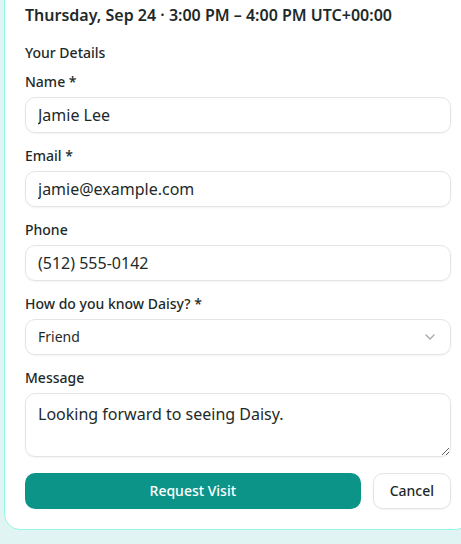
The booking form shows the selected date and time. Enter:
- Name (required)
- Email (required)
- Phone (optional)
- How do you know [name]? (required), using the name of the person you are visiting
- Message (optional), for anything the family should know about the visit
On a public Flote, you may also see Follow along with how [name] is doing. Select it if you want updates by email. Following requires an Aflote account, but it is optional and you can still request the visit without following.
Wait for the family to approve it
Choose Request Visit to send your request. The visit is not final yet because the family needs to approve it.
The result is labelled Request Submitted and says your request is pending approval. It shows the requested date and time and the email address that will be notified. You will receive an email after the family reviews the request.
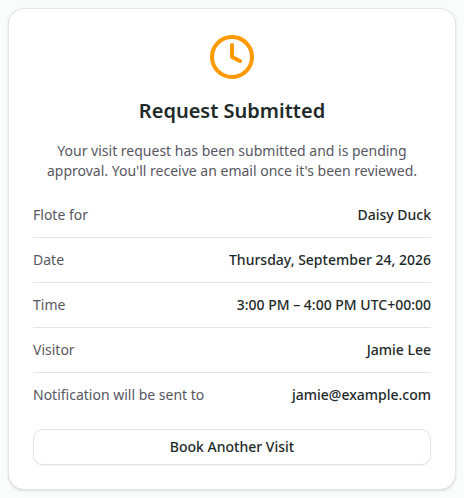
The full address is not shown while the request is pending. If the family approves an in-person visit, the confirmation email includes the visit location.
When you need an account
You can request a visit while signed out when the Flote is public. The form asks for your name and email so the family knows who wants to visit.
Private Flotes work differently. Signed out, you see Private Flote and Request access, rather than the visit times. The page says You'll sign in with your email to request access. You need to sign in or create an Aflote account before you can request access and book a visit.
If you would rather take on a practical need, such as help with pets or meals, follow How do I sign up to help?.
Related articles
Was this article helpful?