Set when visitors can come
Availability is the time you offer for in-person visits, phone calls, and video calls. Add only the times that work, whether that is one quiet afternoon or the same time every week.
Important: You must be an Admin of the Flote to add or change its availability.
Does this cover calls too?
Yes. An Available Slot opens that time for visitors who want an in-person visit, phone call, or video call.
Two ways to set availability
Choose the path that best fits the time you want to offer:
- Option 1: Calendar is best for specific hours, a one-off time, or a repeating pattern.
- Option 2: Settings → Availability is best for broader blocks of time on selected dates.
Option 1: Add a specific time in Calendar
Open your Flote and choose Calendar. Select a time on the day you want, or choose Add an event to start with a time already filled in.
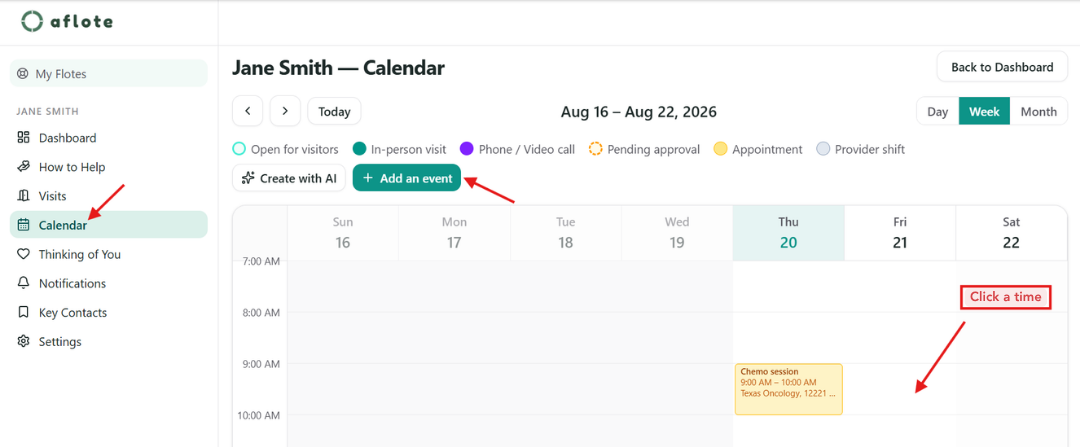
In the window that opens:
- Choose Available Slot.
- Set the Start Time and End Time.
- Under Apply to, choose how often this time should be available:
- This date only for a one-off time, such as a good afternoon this week.
- Every [day] to make the same time available every week.
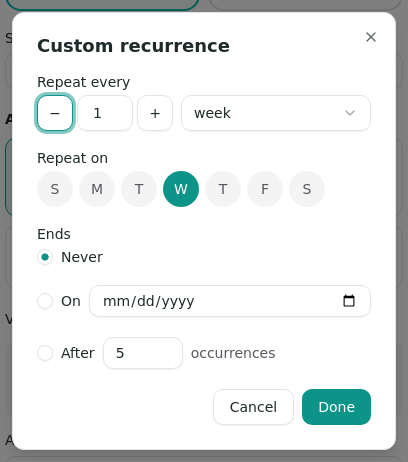
- Custom recurrence to choose a different pattern, such as every other week, more than one day of the week, or an end date.
- Choose Confirm.
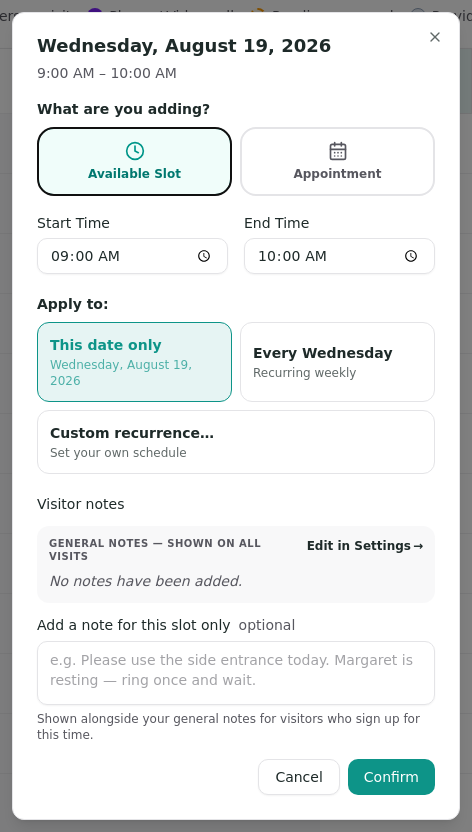
Use a weekly time for a routine that is likely to stay the same. Use a one-off time when the schedule is changing or you only want visitors on a particular date. You can return to Calendar to change or remove a time later.
Every available slot also has an optional note for that time only. It appears alongside the general visitor notes for people who sign up for the slot. Use it for a temporary detail, such as a side entrance that is open one afternoon.
Option 2: Set broader availability in Settings
Use this option when you want to open a broader block of time rather than choose specific start and end hours. Open your Flote, choose Settings, then choose Availability.
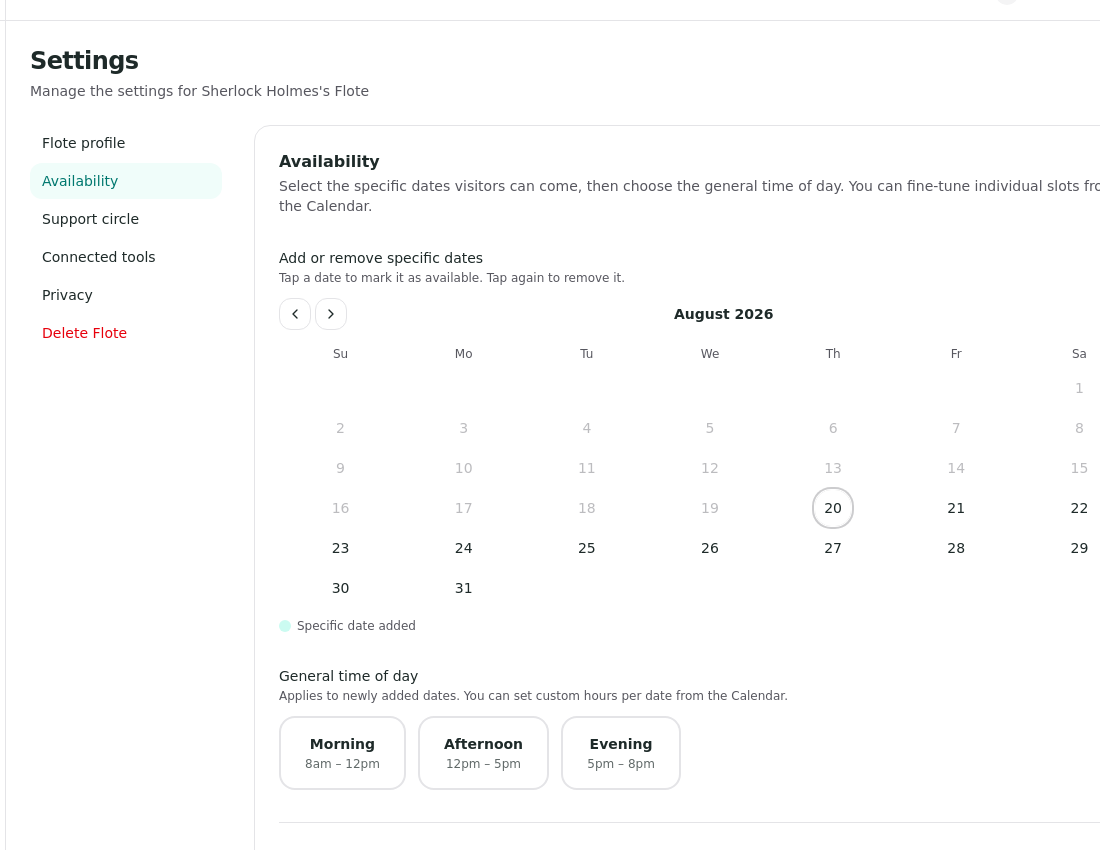
On the Availability page:
- Under Add or remove specific dates, select each date when visitors can come.
- Under General time of day, choose the broader blocks you want to offer, such as Morning, Afternoon, or Evening.
- Choose Save changes.
Use Calendar afterward when a particular date needs custom hours, a one-off slot, or a recurring pattern.
Related articles
Was this article helpful?