Remove someone from your Flote
Any admin can remove somebody from the support circle. Removing them takes them out of the Flote, and cancels their upcoming visits and anything they had offered to help with.
How to remove someone
Open the Flote, go to Settings, then Support circle. Click the three dots at the end of their row and choose Remove from circle.
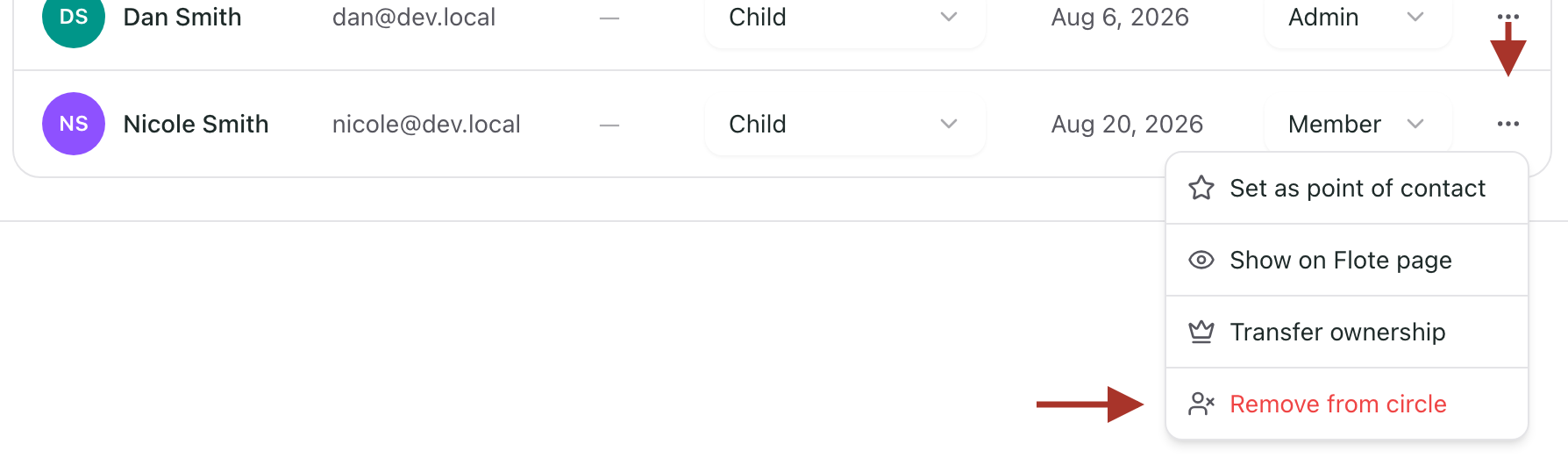
Type confirm in the box to enable the Remove button, then click it.
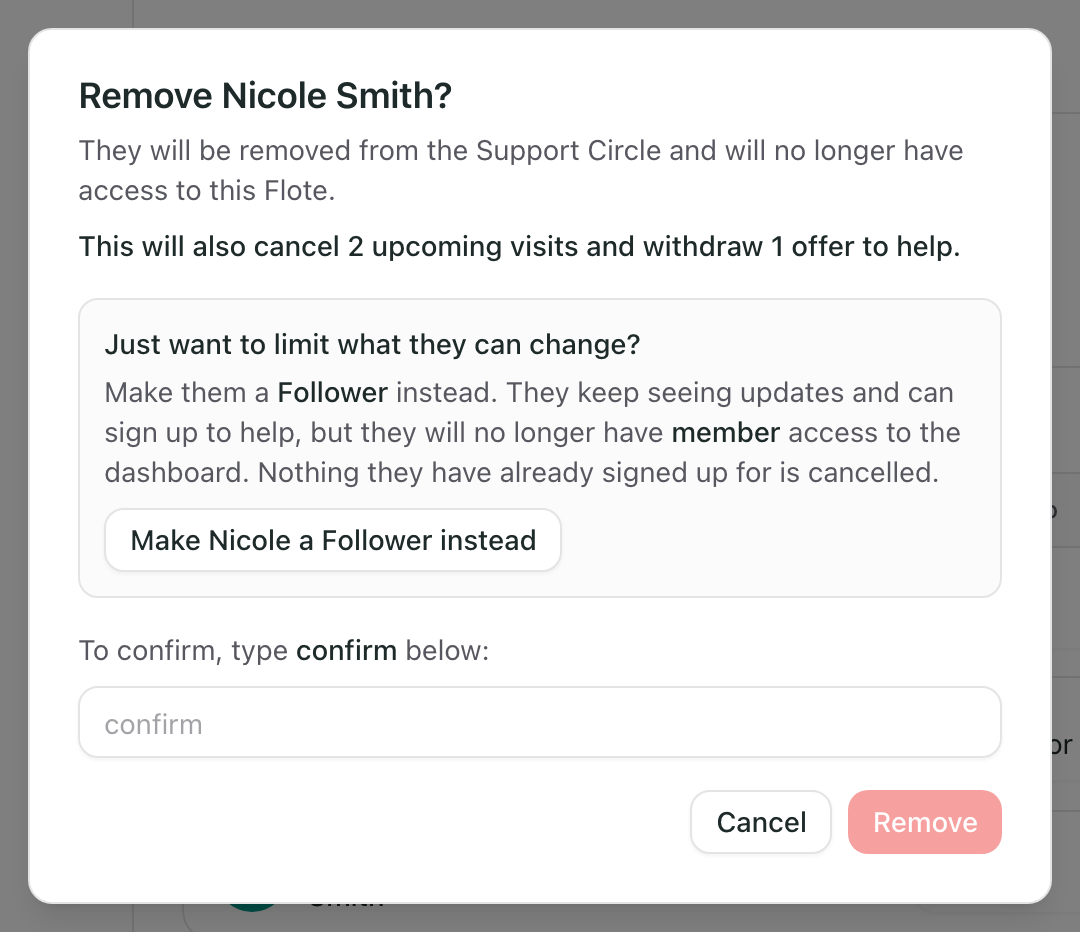
Another option: if the issue is that somebody should not be changing things, you can make them a Follower instead of removing them. The confirmation above has a button for it.
They keep seeing updates and can still sign up to help, but they lose access to the private family dashboard, and nothing they have already signed up for is cancelled. You can also change their role from the Support circle at any time. See Roles and permissions.
What happens to their visits and offers
Their upcoming visits are cancelled, and the times go back to being available, so your circle can claim them again. A visit nobody tells you about is worse than an empty slot, because you stop looking for help for that day and then nobody comes.
Anything they offered to help with is withdrawn, so the counts on your Flote stop including somebody who can no longer see it.
Visits that already happened stay. They are a record of something that actually did happen, and cancelling them would not free anything.
The confirmation tells you the numbers before you decide, for example "This will also cancel 2 upcoming visits and withdraw 1 offer to help." If there is nothing outstanding, that line does not appear.
Does the person who is removed get notified?
No. They do not get an email saying they were removed.
If they had visits booked, or things they had signed up to help with, they do get an email saying those have been cancelled, along with the dates. The email does not say why. If they had nothing outstanding, they get no email at all.
Who cannot be removed
Yourself. There is no Remove option on your own row, whatever your role.
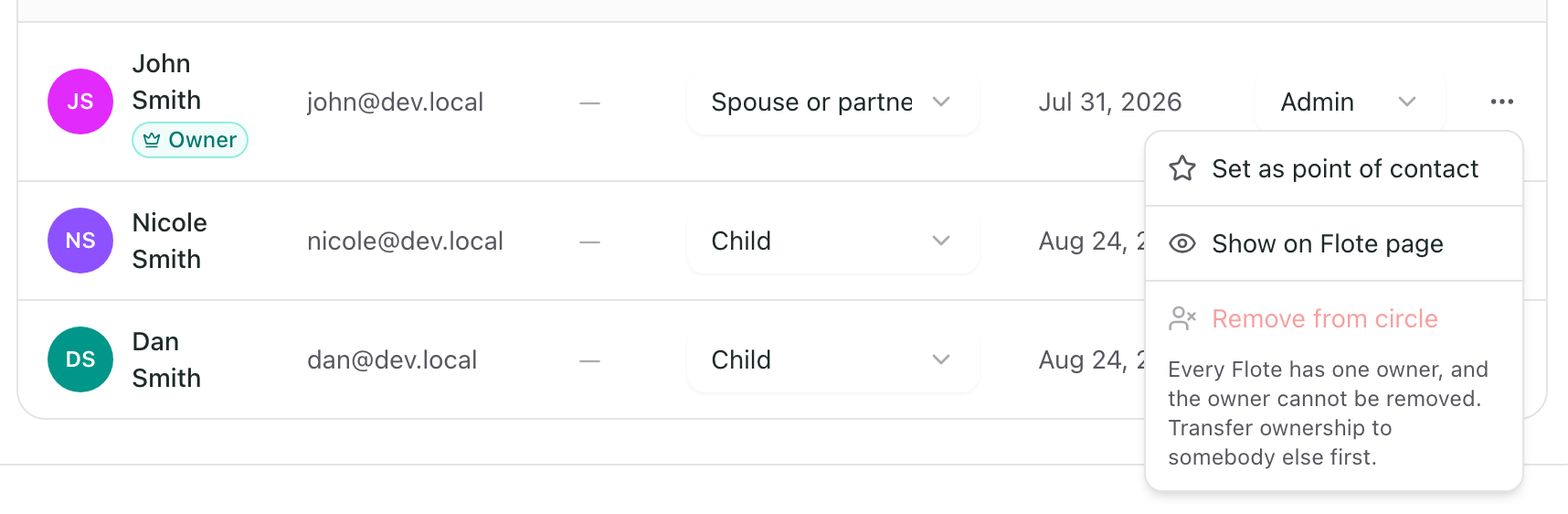
The owner. Transfer ownership to somebody else first, and then they can be removed like anybody else.
Another admin looking at the owner's row sees Remove from circle greyed out, with the reason underneath:
If your Flote is public
Somebody you remove can still see the public page like anybody else with the link. Removing controls what they can reach, not whether the page exists. If you want the page itself private, change that under Settings, then Privacy.
Related articles
Was this article helpful?