Roles and permissions
People support you in different ways. Some are organizing alongside you, some are driving to appointments, and some just want to know how things are going. The roles are there so you can bring each person in at the level that fits.
To invite someone to your support circle, see How do I invite people to my support circle?.
There are four roles, and admins can change someone's role at any time, with two exceptions covered below.
- Admin is a trusted co-organizer. They can change settings and everything in the Flote itself.
- Owner is an admin who can also do two things nobody else can: delete the Flote, and transfer ownership to somebody else. Every Flote has exactly one owner, and the owner is whoever created the Flote. The owner can do everything an admin can do.
- Member is someone active in the day to day. They see the calendar, the appointments and the key contacts, and can sign up for things, but they cannot change the settings or make any updates to the Flote.
- Follower is friends and family staying connected. They can only see items to sign up to help, send a note, and follow updates. They do not have access to the private family dashboard.
Roles only show on the private family dashboard. Admins and members both see what role everyone has. On the Flote page you share, everyone appears the same way, as a supporter.
What each role can do
There are two halves to a Flote. The Flote page, which is what you share and where you activate your support circle, and the Flote dashboard behind it, which only your circle sees.
| Owner | Admin | Member | Follower | |
|---|---|---|---|---|
| Flote page | ||||
| See the Flote page and sign up to help | yes | yes | yes | yes |
| Follow updates and comment on them | yes | yes | yes | yes |
| Send a Thinking of You note | yes | yes | yes | yes |
| Give to a fund, or send a gift card and say so | yes | yes | yes | yes |
| Flote dashboard | ||||
| View the calendar | yes | yes | yes | no |
| Edit the calendar | yes | yes | no | no |
| See appointments and key contacts | yes | yes | yes | no |
| Edit appointments | yes | yes | no | no |
| Edit key contacts | yes | yes | no | no |
| Post an update | yes | yes | no | no |
| View and approve visits | yes | yes | no | no |
| Change what help you are asking for | yes | yes | no | no |
| Add gift cards, funds and an Amazon list | yes | yes | no | no |
| Invite people and change their role | yes | yes | no | no |
| Change settings and privacy | yes | yes | no | no |
| Remove somebody from the circle | yes | yes | no | no |
| Delete the Flote | yes | no | no | no |
| Transfer ownership | yes | no | no | no |
Who can see who has given
Anyone in your circle can give to a fund or send a gift card. Who sees the giver's details is narrower.
- Admins and owners see the full list on Ways to Help: who gave, their note, and their email address so you can thank them.
- Members see names on the dashboard, in the card and in Recent activity. They cannot open Ways to Help.
- Followers and anyone with the link see initials only, and no note.
How roles are assigned
The role somebody gets depends on how they joined, and only one of the two ways lets you choose.
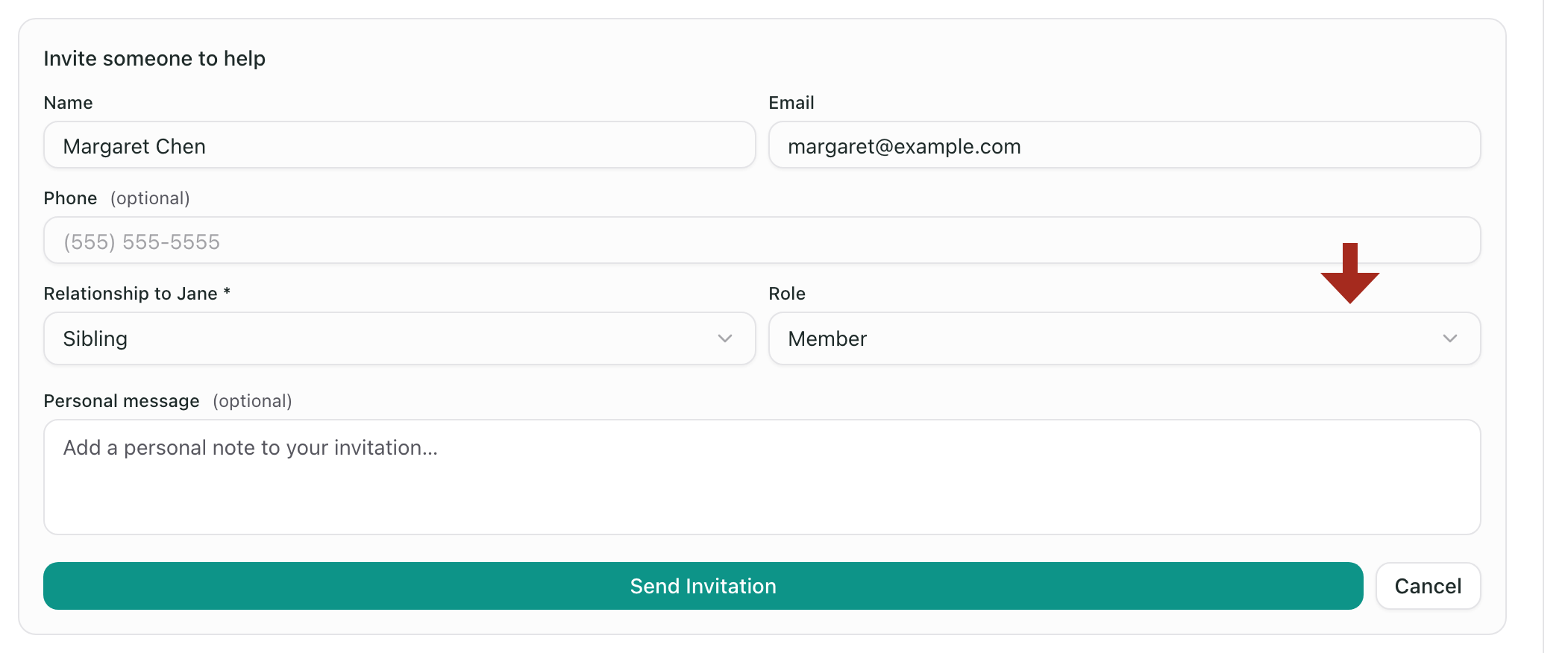
If you invite them, you pick the role. The invitation form has a role dropdown set to Member, and you can change it to Admin or Follower before you send it. They accept, and they land in the role you chose.
If they came from a shared link, they become a Follower. Anybody with the link can ask to join, and approving that request always adds them as a follower. The request carries no role, so there is nothing to pick.
That second one is the one to watch, because nothing prompts you afterwards. If you approve your sister's request expecting her to see the appointments, she cannot: she is a follower until you change her role, which takes a few seconds and is covered next.
Changing someone's role
Only owners and admins can change roles, because it lives in Settings and members cannot open Settings at all.
Open the Flote, go to Settings, then Support circle. Everyone in the circle is listed with their role beside their name.
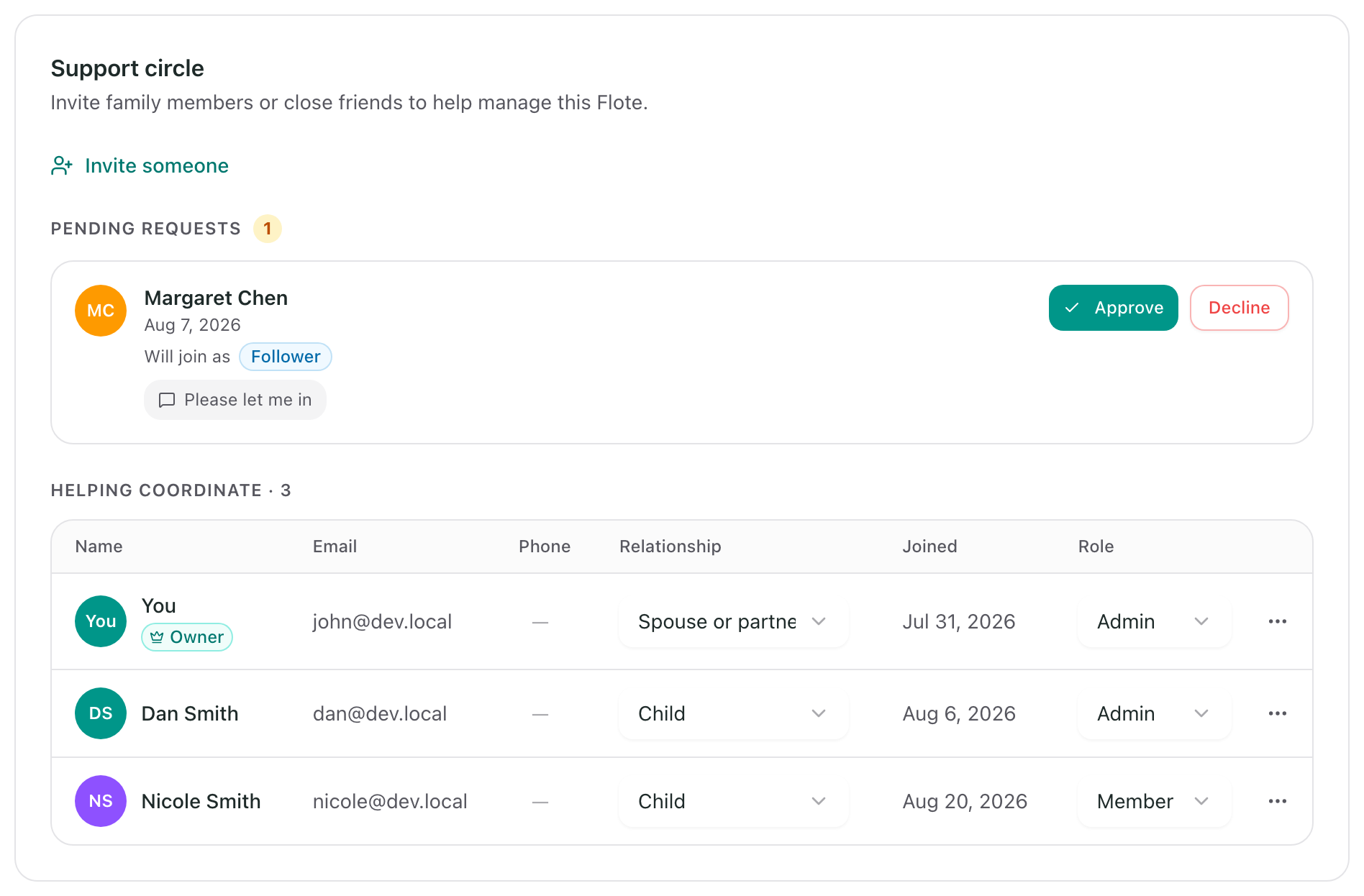
Change someone's role in that dropdown.
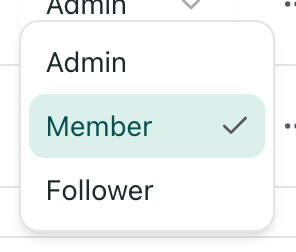
You can change it back at any time, and changing it does not remove anyone or undo anything they signed up for.
Transferring ownership
If somebody else has taken over the organizing, you can make them the owner. You stay an admin, and nobody is removed.
See Transfer ownership of a Flote for how to do it.
Removing someone
Any admin can remove somebody from the circle, including another admin. Removing someone also cancels their upcoming visits and withdraws what they had offered to help with, so it does more than take away access.
The owner cannot be removed unless they first transfer ownership to someone else.
Related articles
Was this article helpful?