How do I ask my circle a question?
Some questions are better asked of everyone at once. "Does anyone know a good estate lawyer?" or "Who does massages at home?" get better the more people answer, and a question on your Flote keeps every answer in one place instead of scattered across texts.
Important: Only Flote admins can ask questions. Anyone who can comment on your updates can answer and upvote.
Ask a question
- Open your Flote dashboard and find Updates.
- Select Ask a question.
- Type your question where it says Ask your circle something.
- Select Ask.
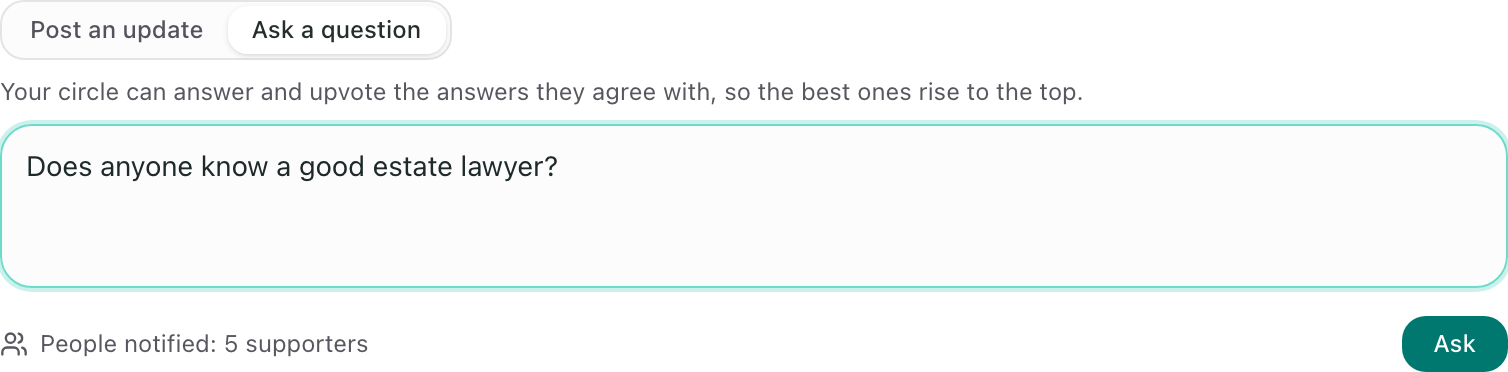
Your circle gets an email with your question and an Answer button, the same way they hear about a new update. Questions are text only, so there is no Photo option.
How your circle answers
Your question shows up in Updates outlined in teal, with a Question label, so it stands out from your updates. Anyone who can comment on your updates can write an answer. If you are signed in, you answer and upvote as yourself. On a public Flote, people who are not signed in give their name and email once, and only their name is shown.
Each answer has an upvote button with a count. People upvote the answers they agree with, and the answers with the most upvotes are listed first. Selecting the button again takes the upvote back, and nobody can upvote their own answer.
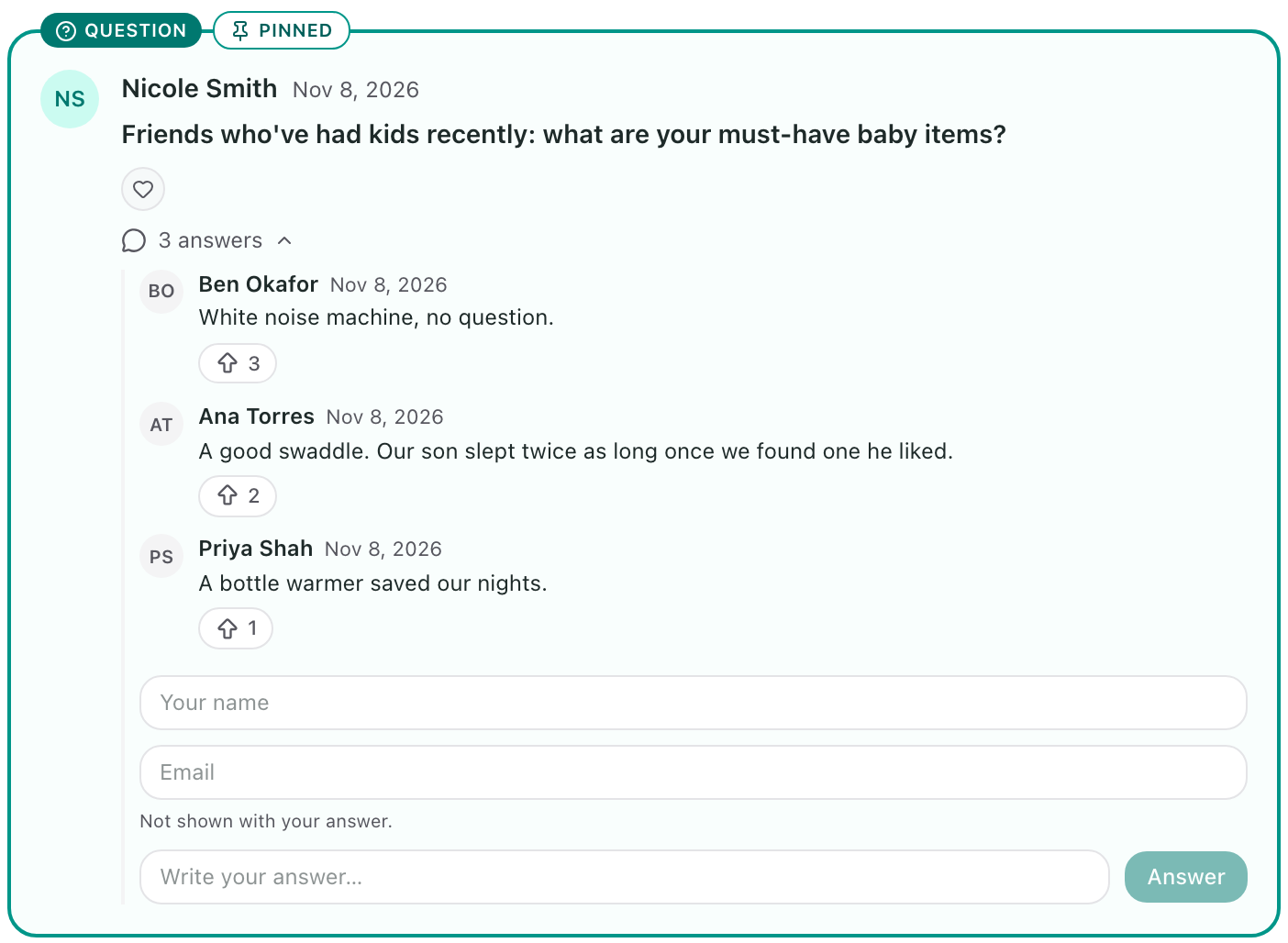
Pin a question to the top
New updates appear above older ones, so a question can slide down the page. To keep it at the top while you keep posting:
- Find your question in Updates.
- Select the pin next to the edit and delete buttons.
The question is marked Pinned and stays above every update until you select the pin again to unpin it.
Get the answers by email
New answers come to you in one email a day, in the evening, rather than one email per answer. Each Flote admin gets it, with the day's answers grouped by question. On a day with no new answers, there is no email.
Hide an answer
If an answer isn't helpful, you can hide it from your circle without deleting it.
- Find the answer under your question.
- Select the crossed-out eye next to it. On a computer, it appears when you point at the answer.
The answer stays on your dashboard, greyed out and marked Hidden from your circle, and nobody else can see it. Select Unhide to bring it back.
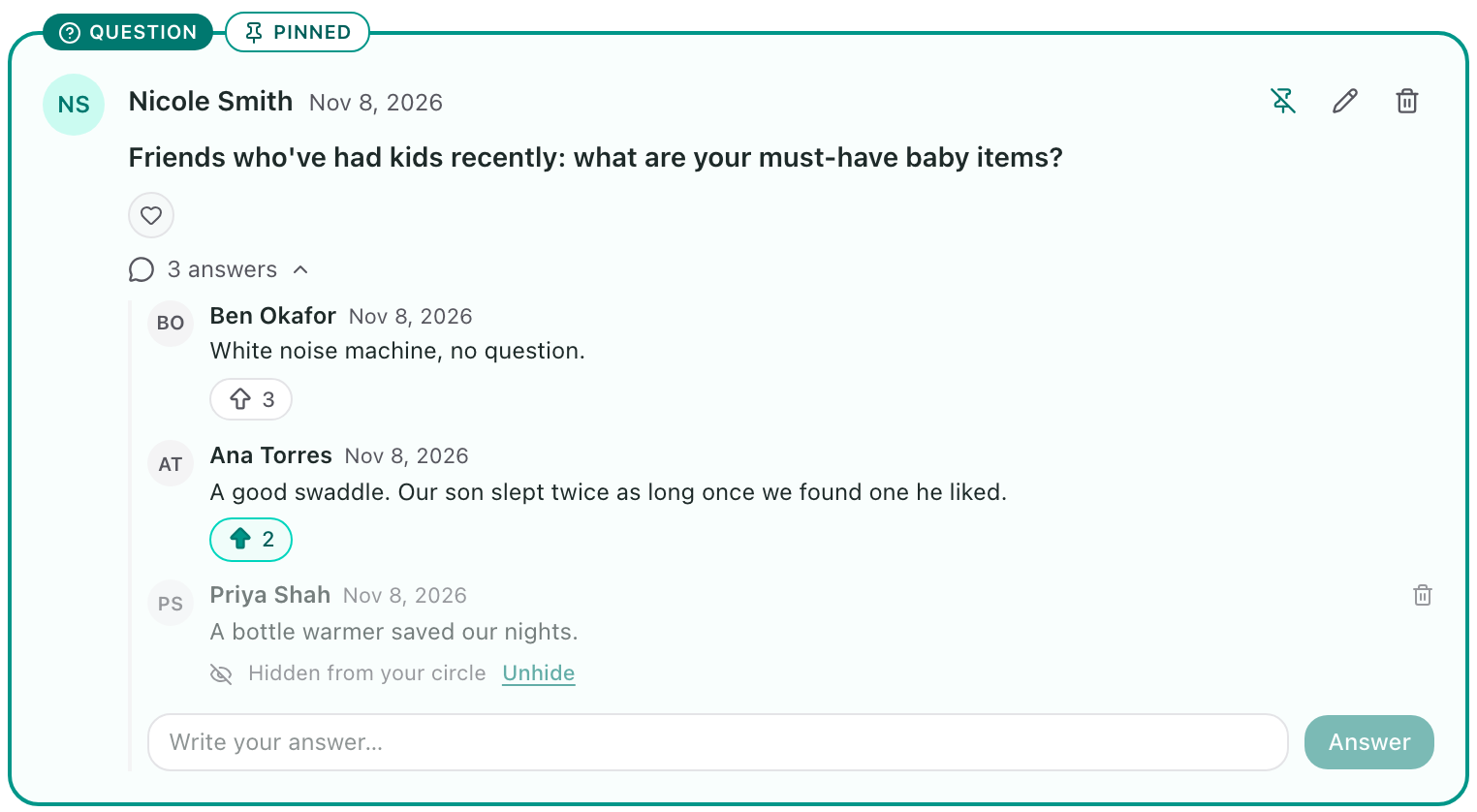
To remove an answer for good, select the trash can next to it instead.
Related articles
Was this article helpful?