How do I customize the name used on my Flote?
Aflote uses a name for your Flote everywhere your circle sees it: in invites, in emails, and in lines like "Join Jane's Flote" or "Bring a meal for Jane". By default that is the first name on the Flote. You can change it when the first name is not who the help is for, such as a Flote for a new baby where the help goes to the parents.
Customize the name
- Open your Flote and choose Flote Settings, then Flote profile.
- Under Want to customize the name?, select Customize the name.
- In Name to use, type the name you want, such as Linda and Joe. Under the box, Shows up like this updates as you type, so you can read the sentences before saving.
- Select Save changes.
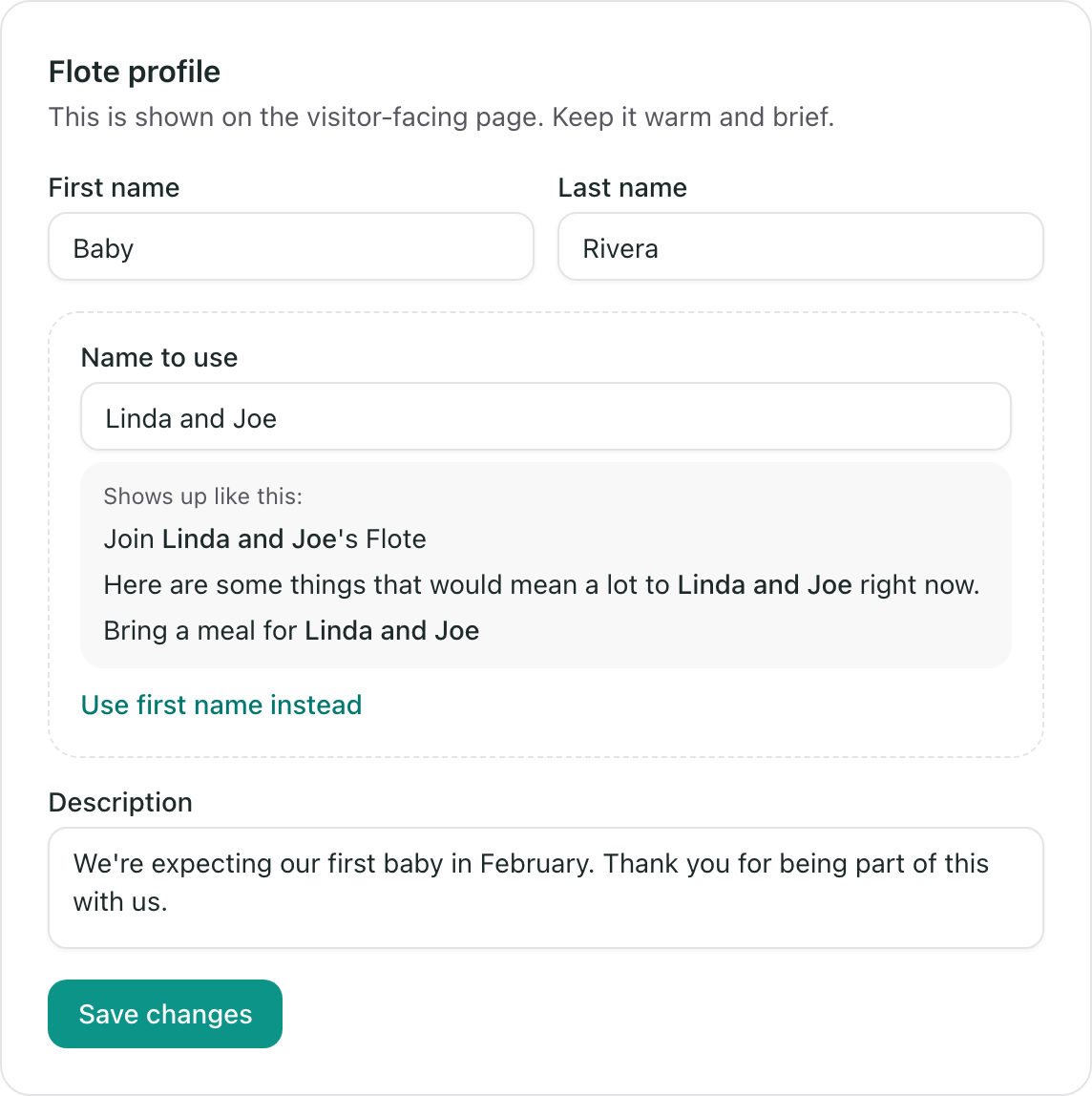
Supporters see the new name on the Flote, on invite pages and in the emails Aflote sends them. The name at the top of your Flote does not change.
Go back to the first name
Select Use first name instead under the examples, then Save changes. If you later change the Flote's first name, the messages follow it.
Only admins can customize the name. If you do not see Flote Settings, ask an admin of the Flote to change it for you.
Related articles
Was this article helpful?