Change your email notification preferences
Aflote sends you an email when something happens on a Flote: a new update, someone signing up to help, a reminder before a visit. You decide which of those emails reach you, and you can turn most of them off.
Preferences are email only. There are no text message or push notification settings.
Open your notification preferences
Open your profile menu (your name) and choose Notifications.
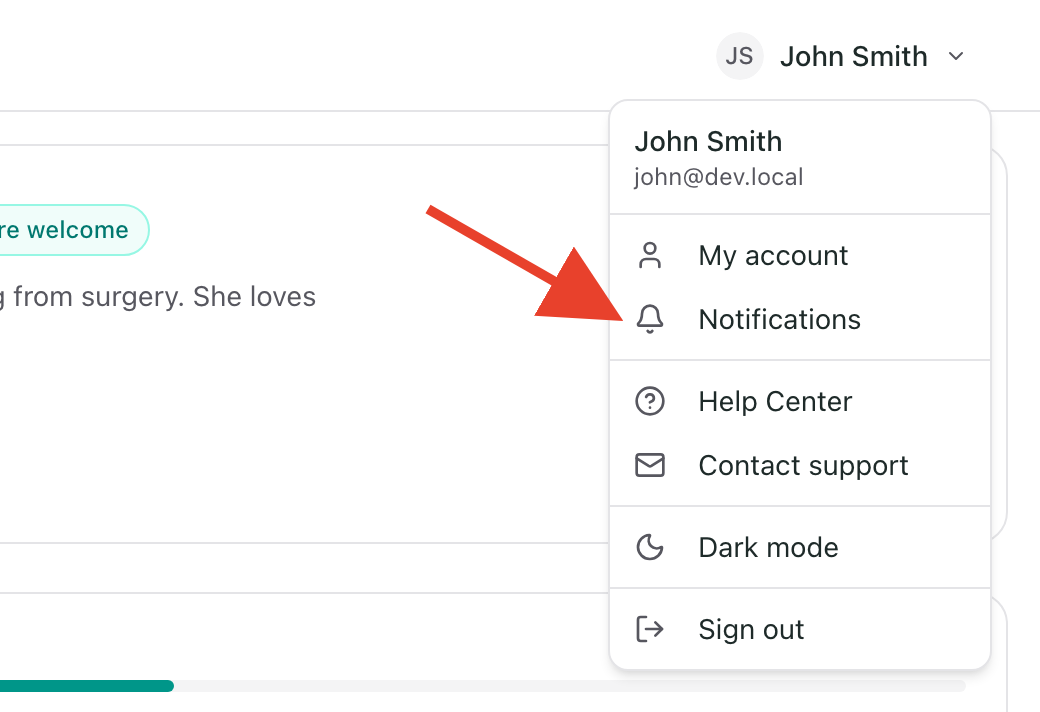
Important: A Flote's own navigation also has a Notifications option. That one is your activity in the app, such as visit requests waiting for your approval. It does not change which emails you get. To change emails, use Notifications in your profile menu.
If you belong to more than one Flote, you see a list first. Choose the Flote you want to change. Preferences are saved separately for each Flote, so turning something off for one Flote does not turn it off for the others. If you belong to only one Flote, you go straight to its preferences.
Changes save the moment you make them.
What each section does
The page is split into sections, and which rows you see depends on your role in the Flote. Each row below says which roles receive that email. See Roles and permissions for what each role can do.
Messages and Updates
These emails are about what people share with the Flote.
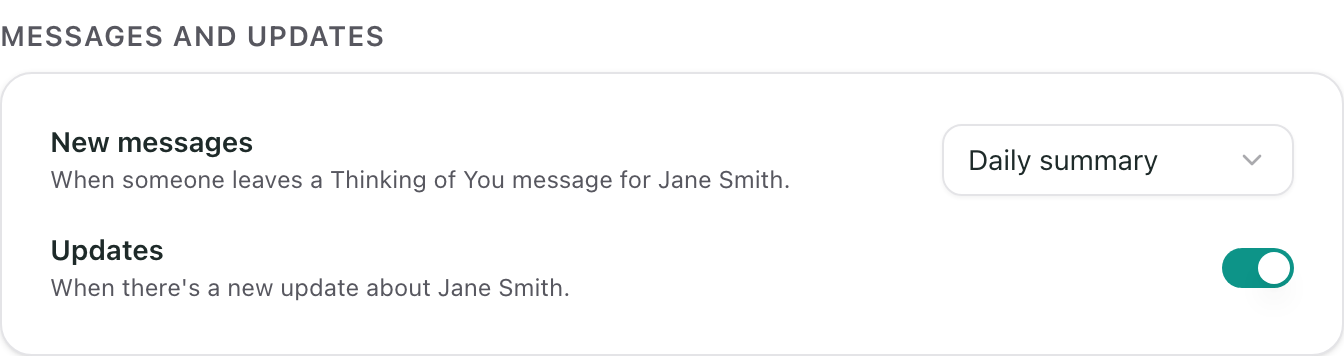
- New messages controls how you are emailed when someone leaves a Thinking of You message. Choose Each message to get one as it comes in, Daily summary to get one email a day that brings all of that day's messages together, or Off. Only Admins receive this email.
- Updates controls whether an email is sent to notify you when an Admin posts a new update. You do not get an email for an update you posted yourself. All roles receive this email.
Help
These emails are about the ways people can help.
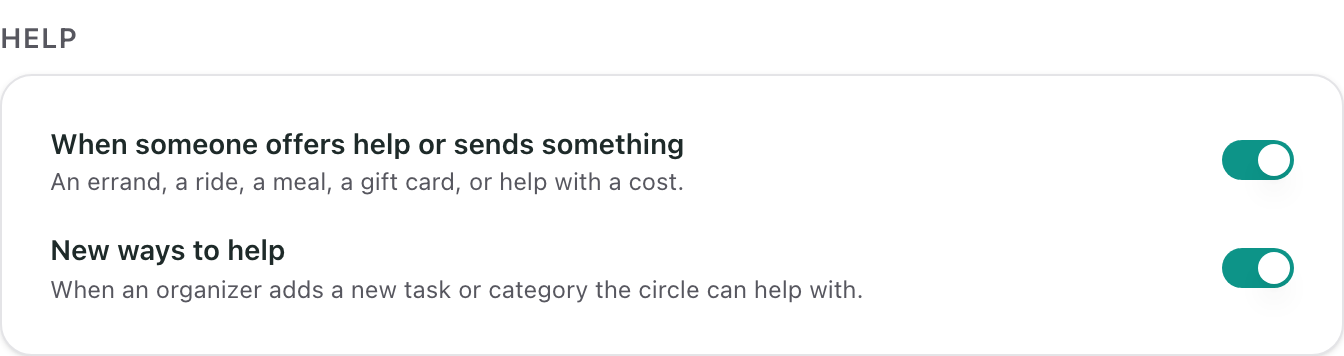
- When someone offers help or sends something controls whether an email is sent when someone signs up to help with an errand, a ride, or a meal, sends a gift card, or helps with a cost. Visit sign-ups are in the Visits section instead. Only Admins receive this email.
- New ways to help controls whether an email is sent when an Admin adds a new task or category the circle can help with. All roles receive this email.
Visits
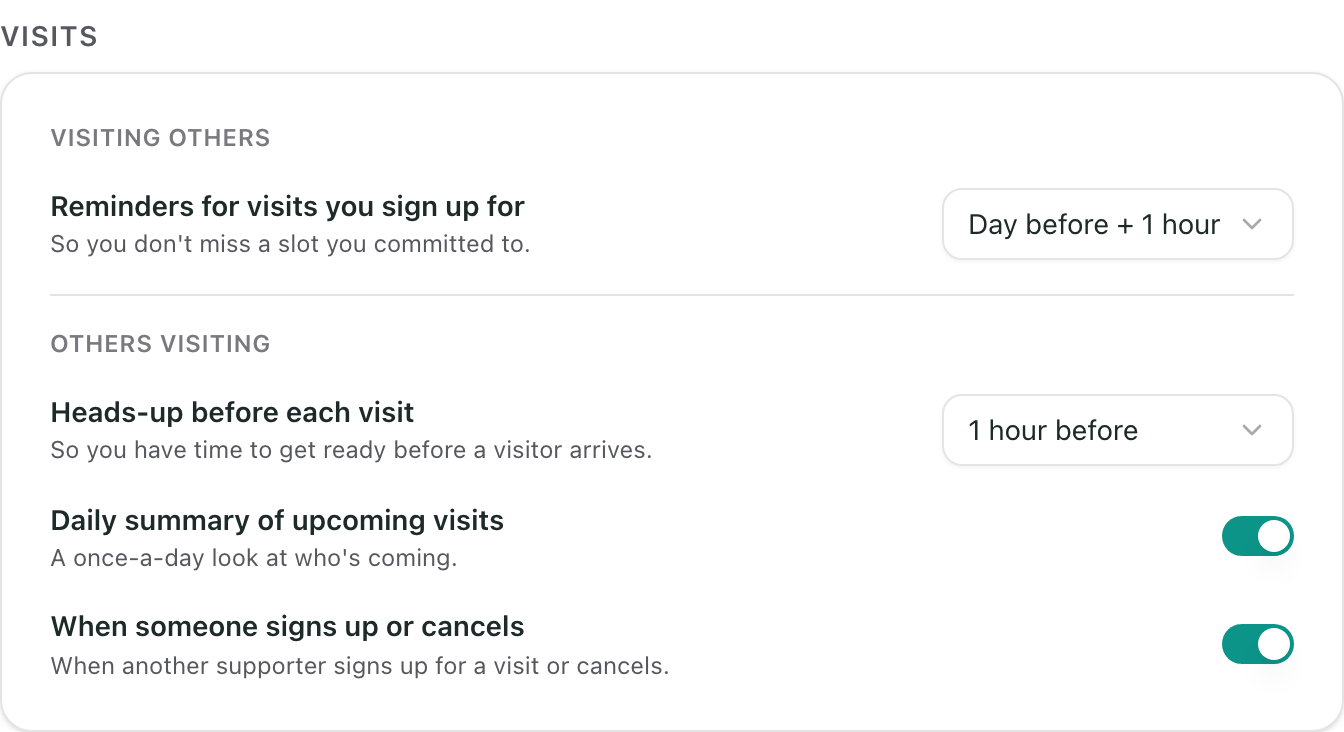
This section has two parts, Visiting others and Others visiting. Followers see only Visiting others.
Visiting others is about visits you signed up for.
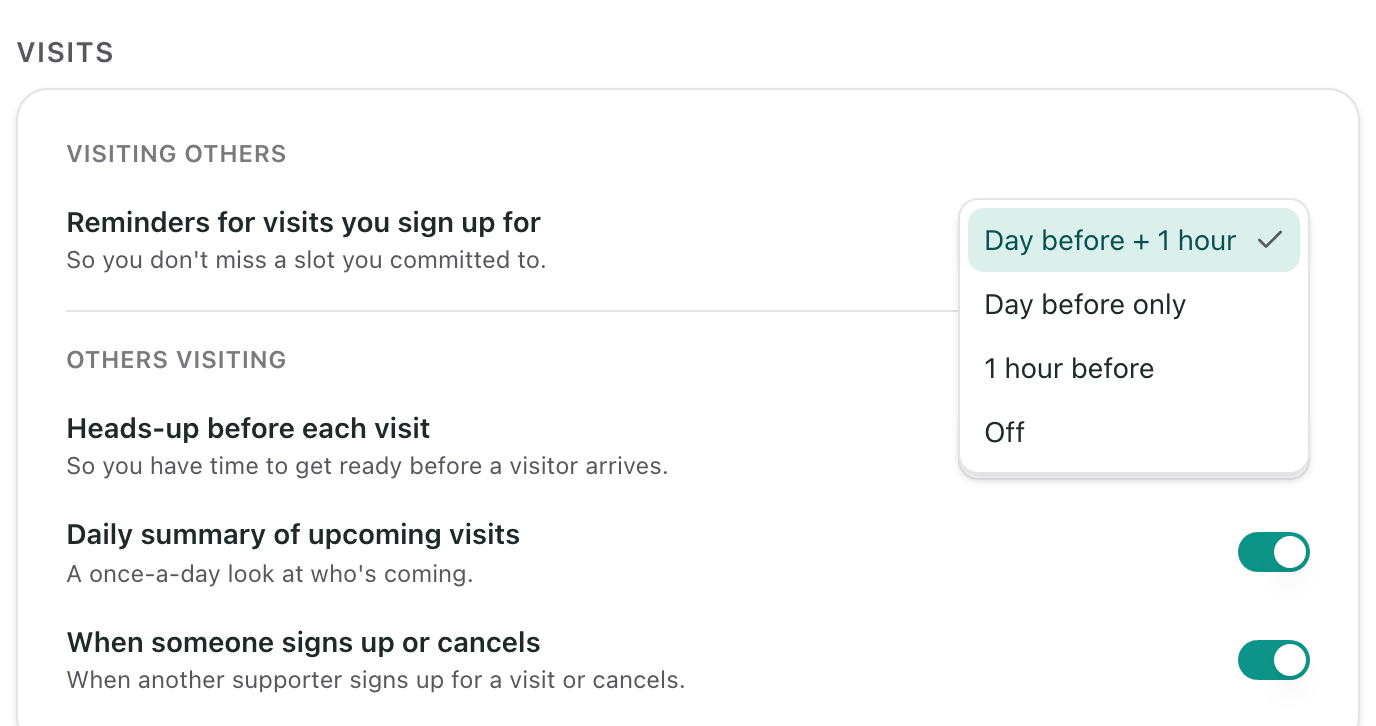
- Reminders for visits you sign up for controls whether and when you are emailed a reminder before a visit you committed to. You choose when it arrives, as described in reminder timing. All roles receive this email, along with anyone who signs up without an account. If you do not have an account, use the link in the reminder email.
Others visiting is about visitors coming to the Flote.
- Heads-up before each visit controls whether and when you are emailed to give you time to get ready before a visitor arrives. You choose when it arrives, as described in reminder timing. Only Admins and Members receive this email.
- Daily summary of upcoming visits controls whether you get one email a day showing who is coming. Only Admins receive this email.
- When someone signs up or cancels controls whether an email is sent when another supporter signs up for a visit or cancels. Only Admins receive this email.
Events
Followers do not see this section.
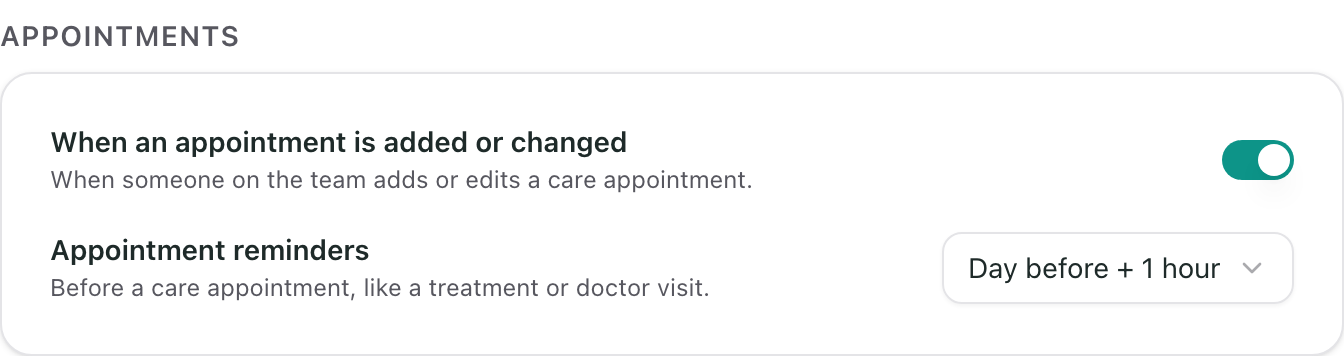
- When an event is added or changed controls whether an email is sent when someone on the team adds or edits an event, like a treatment or a doctor visit. Only Admins and Members receive this email.
- Event reminders controls whether and when you are emailed a reminder before an event. You choose when it arrives, as described in reminder timing. Only Admins and Members receive this email.
Reminder timing
Most rows are a simple switch: turn it off and that email stops. Reminders for visits you sign up for, the heads-up before each visit, and appointment reminders also let you choose when they arrive:
- Day before + 1 hour sends two emails: one about a day before the visit or appointment, and a second about an hour before.
- Day before only sends one email, about a day before.
- 1 hour before sends one email, about an hour before.
- Off sends no reminder or heads-up.
"A day before" means about 24 hours before the start time, not the evening before. A visit at 3 PM on Thursday gets its day-before reminder at about 3 PM on Wednesday.
What you will still get
Some emails are not optional. You will still receive essential emails, such as sign-in links and visit confirmations, even with every preference turned off.
If you signed up for a visit without an account
You do not need an account to get visit reminders, and you do not need one to change them. Open a visit reminder email and choose Manage your email preferences at the bottom. If you do have an account, this changes the same setting as Reminders for visits you sign up for on the Notifications page.
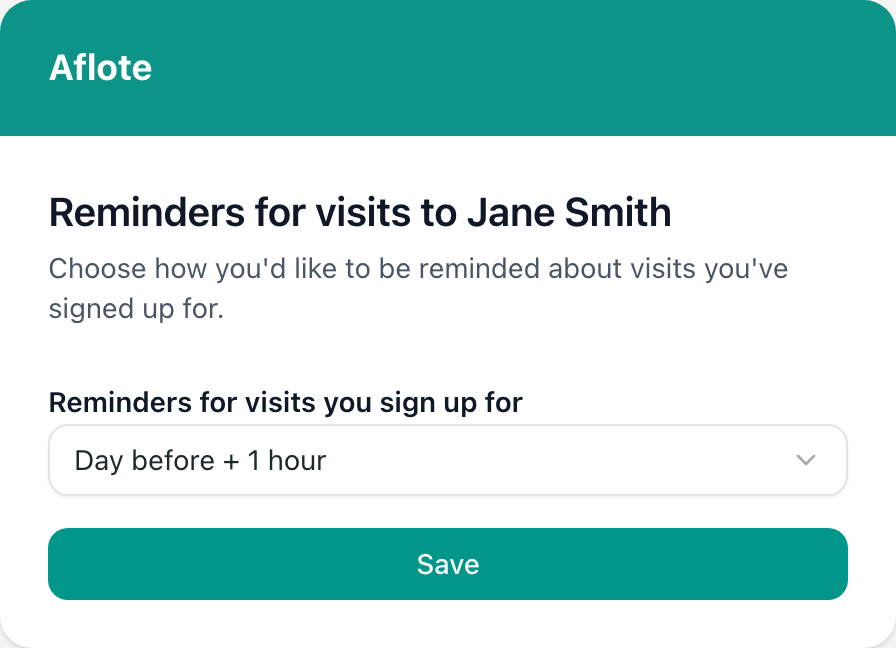
This page only controls reminders for visits your email address signed up for. Choose a timing, then select Save. Unlike the page for people with an account, this one does not save on its own.
Related articles
Was this article helpful?