How do I create an Amazon List?
A cozy blanket, a soft bathrobe, or a comfy reading pillow can make a hard week easier. An Amazon List lets you put the things you need in one place.
You will need an Amazon account to create the List.
Create an Amazon List
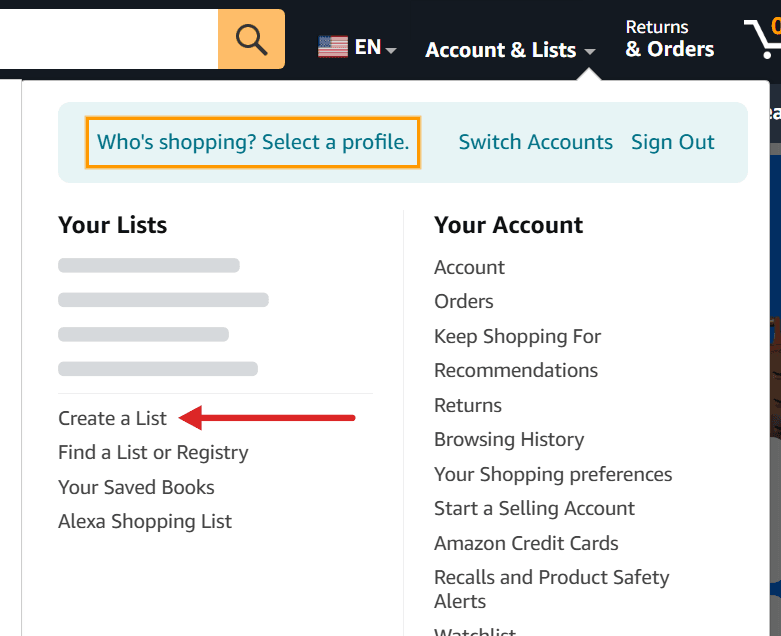
- Sign in to Amazon and open Account & Lists.
- Under Your Lists, select Create a List.
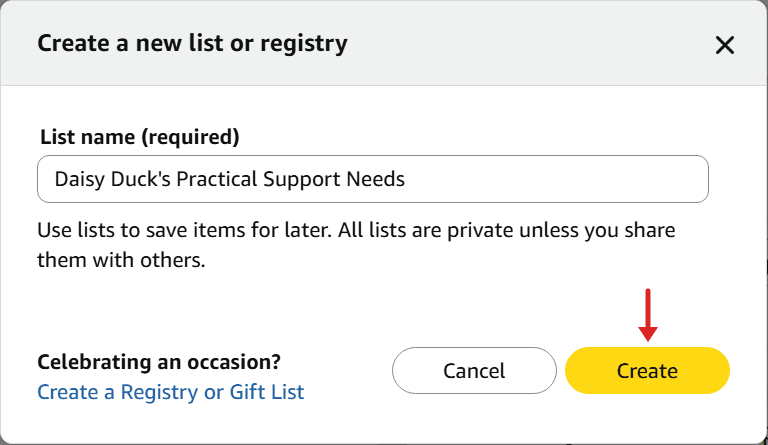
- Enter a List name, such as “Daisy Duck's Practical Support Needs.”
- Select Create.
Add items to the List
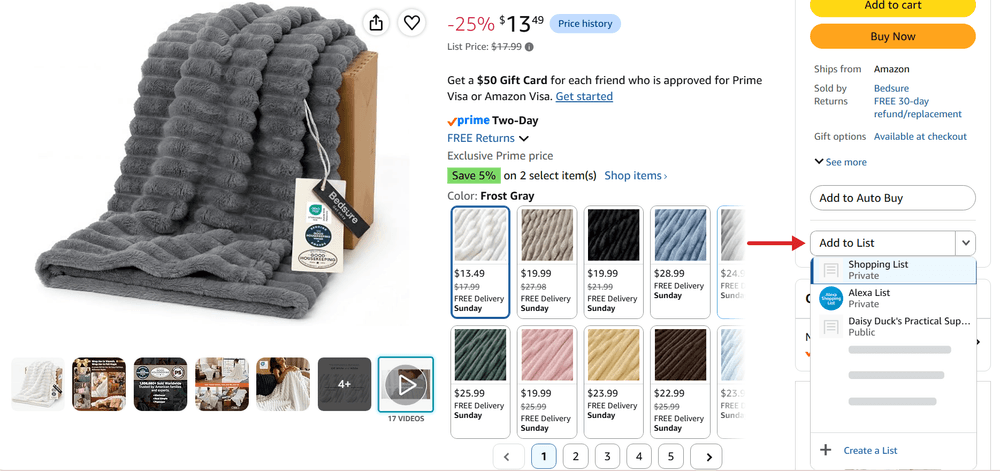
- Find an item on Amazon and open its product page.
- Select Add to List. Use its dropdown to choose the List you made, rather than accidentally adding the item to your default shopping List.
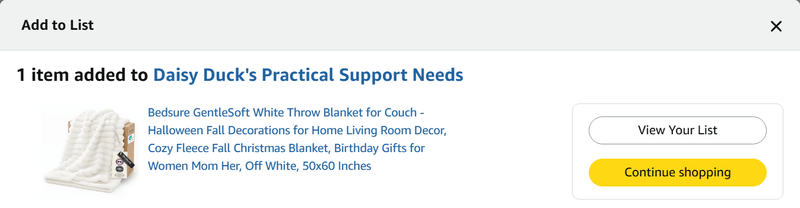
- Check the confirmation. It names the List the item was added to. Select View Your List to review it, or Continue shopping to add more items.
Once your List is ready, see How to add an Amazon List to your Flote for the next steps.
Related articles
Was this article helpful?