How to follow a Flote
Following a Flote is a simple way to stay connected and receive updates about someone you care about. You can keep up with how they're doing without committing to visits or other ways of helping.
How to follow
To follow a Flote, open the Flote you'd like to follow and select Follow at the top of the page.
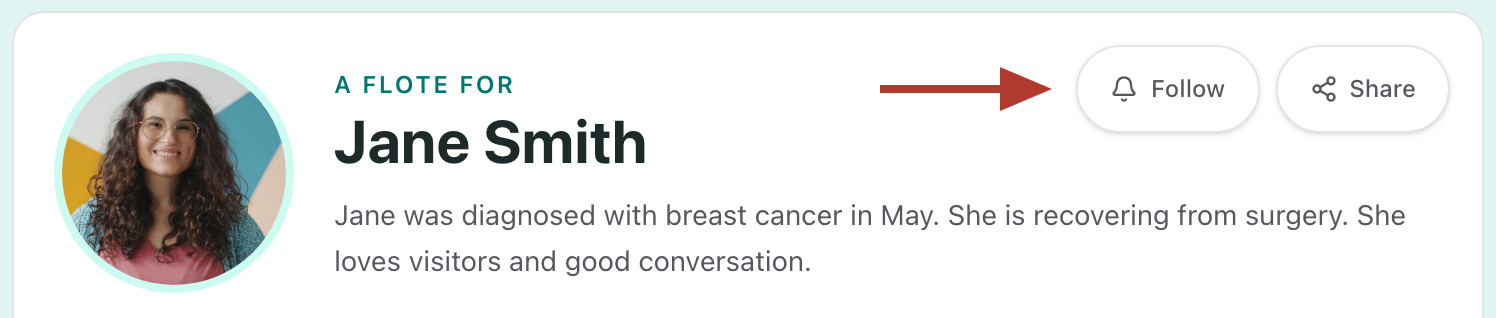
What happens next depends on whether you're already signed in to Aflote.
If you're already signed in
Once you select Follow, the button will change to Following. That's it! You're now following the Flote.
If you're not signed in
Following needs a free Aflote account, so you'll create one or sign in first.
- Select Follow at the top of the Flote. A window titled Sign up to follow [name]'s Flote opens, listing the emails you'll get.
- Select Sign up. If you already have an Aflote account, select Sign in instead.
- Finish signing up or signing in.
- You'll be taken back to the Flote, with a message confirming that you're following and which email address your updates will go to.
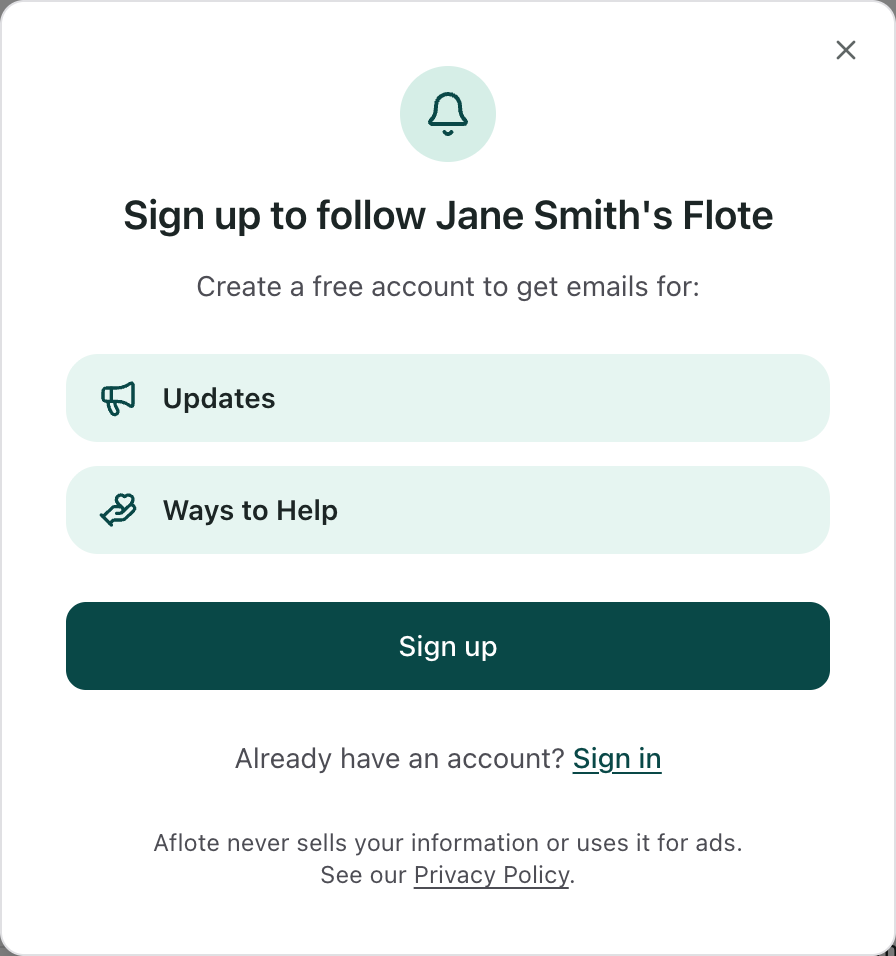
Aflote never sells your information or uses it for ads. To learn more, read our Privacy Policy.
Following after you help
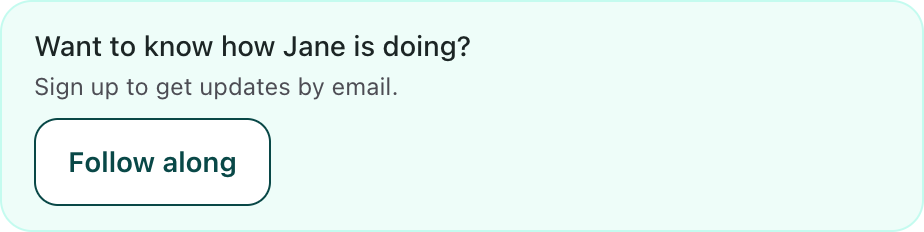
After you sign up for a meal, book a visit, offer to help, or send a message, you'll see a box asking whether you'd like to know how they're doing. Select Follow along to follow the Flote. If you're not signed in, the same Sign up to follow window opens, and the name and email address you just entered are filled in for you.
Following a private Flote
If a Flote is private, you'll need the family's approval before you can follow it.
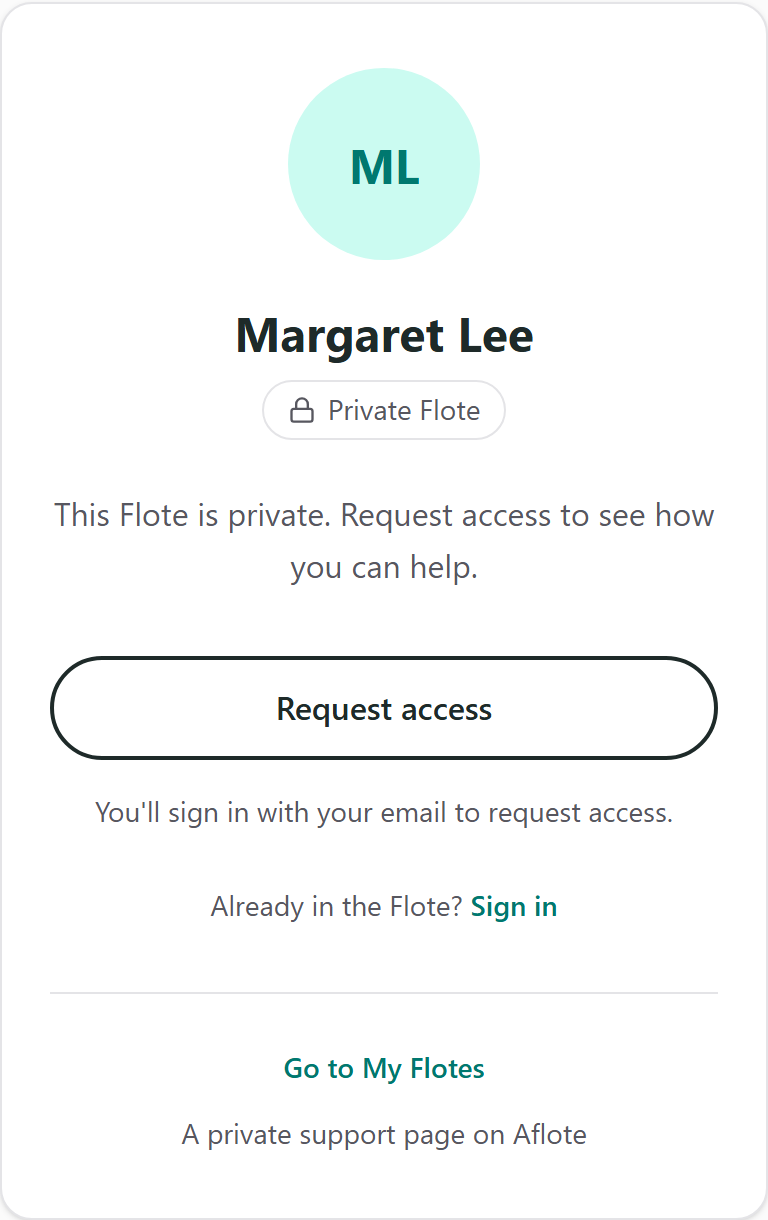
Once the family approves your request to join, you'll automatically become a follower, so there's no need to select Follow again.
To learn more about what followers can see and do, visit Roles and permissions.
What happens after you follow
Once you follow a Flote, you'll receive a welcome email confirming that you're now following, along with a button that takes you back to the Flote.
Staying updated
Whenever the family shares a new update, you'll receive an email with the subject line New update for [name]. The email will include the update itself and a button to view it on the Flote.
You can also visit the Flote at any time to read previous updates. Keep in mind that Aflote sends updates through email rather than notifications within the app.
Finding the Flotes you follow
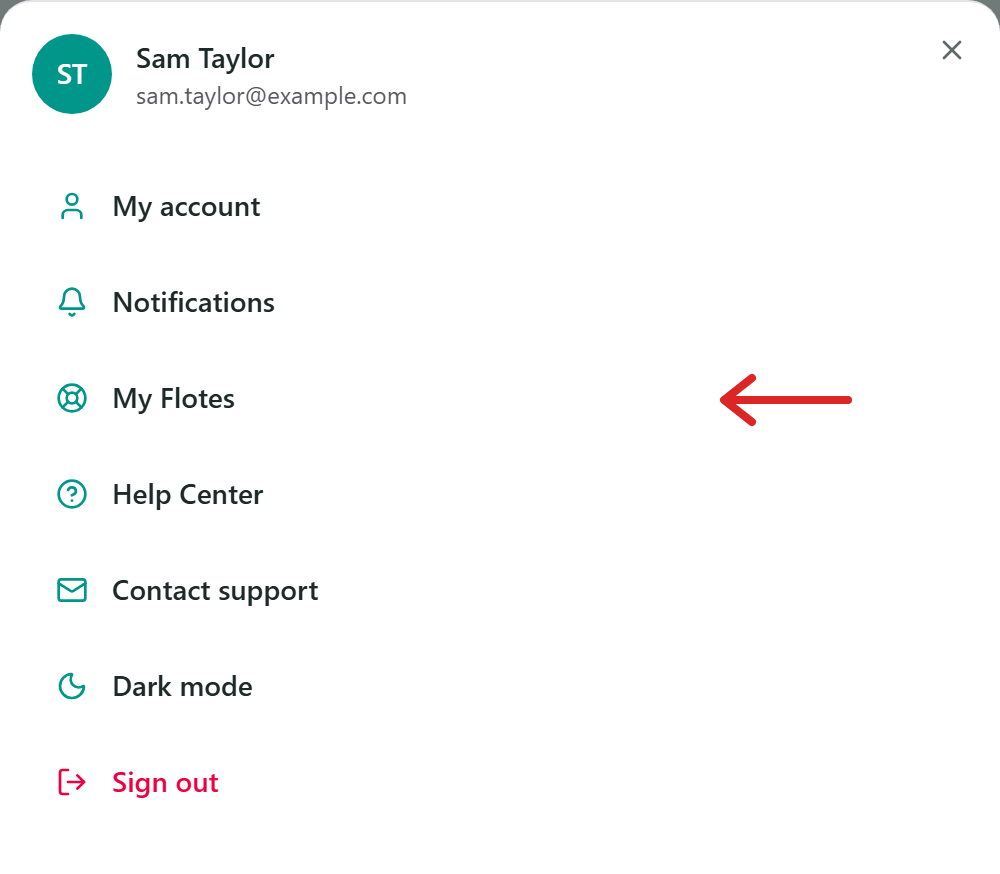
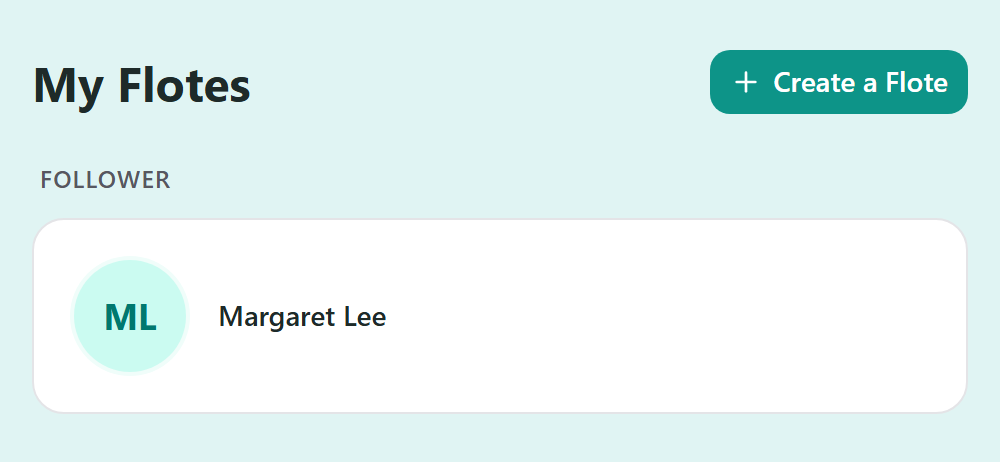
If you have an Aflote account, you can find all the Flotes you're following by going to My Flotes.
- Open the menu at the top of the page. (On a computer, My Flotes is already in the header, so you can skip this step.)
- Select My Flotes.
The Flotes you follow are listed under Follower.
Choose which emails you get
You can customize which email notifications you receive from the Flotes you follow. You can turn the following notifications on or off:
- Updates: Receive an email whenever the family shares a new update.
- Comments and replies: Receive an email when someone replies to a comment you've left.
- New ways to help: Receive an email when the family adds a new opportunity to help.
You'll also see an option to manage visit reminders, which applies if you book a visit.
For instructions on how to adjust these settings, see Change your email notification preferences.
Can the family see that I follow?
Yes, the family can see your name and email address in their list of followers. They may also receive a notification when someone new follows their Flote.
How to stop following
Currently, there is no Unfollow button in Aflote. Once you follow a Flote, the button will remain on Following.
Depending on what you'd like to do, you have two options:
- If you no longer want to receive emails: You can turn off email notifications while remaining a follower. See Change your email notification preferences for instructions.
- If you want to stop following completely: Ask the family to remove you from their Flote, or contact us at support@aflote.com for assistance.
Remember, following a Flote doesn't require you to commit to visits or other ways of helping.
Related articles
Was this article helpful?