Who can see my Flote?
Who can see your Flote comes down to the privacy setting you choose for it:
Either way, Flote pages are not listed in Google or any other search engine, and before you approve a visit, the most a visitor can see of the address is the city and state. You choose the privacy setting when you create the Flote, and an admin can change it at any time.
Private Flotes
Someone who opens the link without being approved first sees only the person's name and photo, and a Request access button. None of the details on the Flote are visible to them.
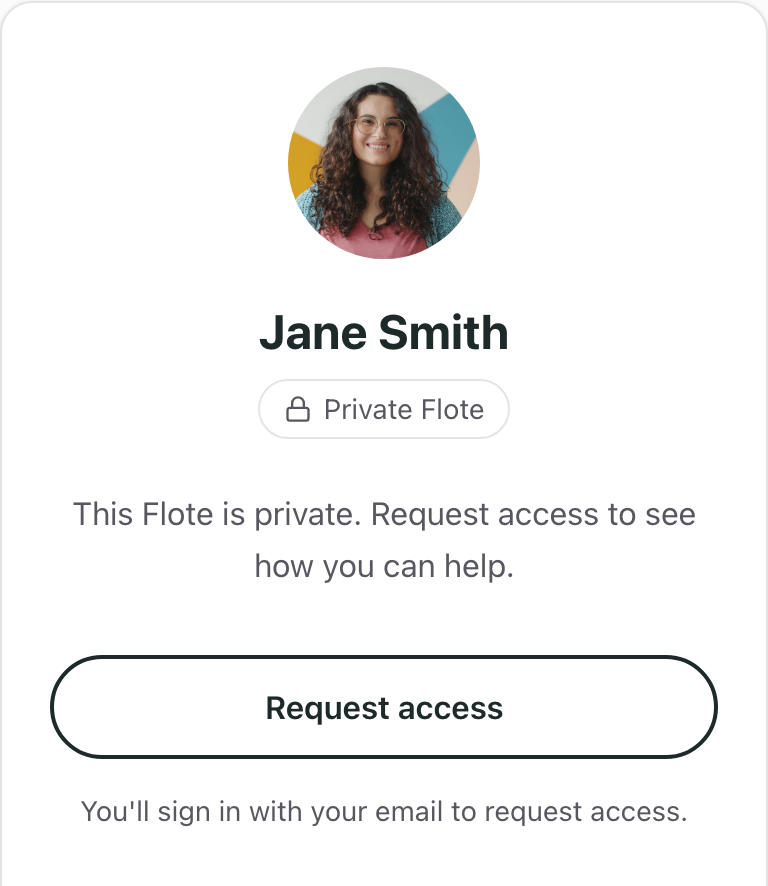
There are three ways in:
- You invite them directly. You choose their role when you send the invitation. See How do I invite people to my support circle?
- They request access and you approve it. They join as a follower.
- They use your invite link. Admins of a private Flote see two links under Share Flote link. The Public link still needs your approval. The Invite link lets anyone who opens it join as a follower straight away, with no approval. Share the Flote link walks through both.
A link can always be passed on, so only share the invite link with people you trust. If it reaches someone it should not have, select Generate a new link and the old one stops working right away.
Public Flotes
Anyone with the link can see the Flote page without requesting access. That includes the description, the ways to help, updates and comments, Thinking of You messages, the support circle's initials and recent activity, and anything you add for giving, such as a Venmo username or the details for sending a gift card.
They can sign up to help without being approved, but you still approve every in-person visit before it is confirmed.
Some things stay off the Flote page even when it is public. The calendar, appointments and key contacts live on the private dashboard, which only members and admins can open. Roles and permissions covers who sees what there.
Who can see the address
Before you approve a visit, the most a visitor can see is the city and state. The full address goes to them in the confirmation email once you approve the visit.
Members and admins can see the full address on the dashboard. Followers cannot.
Finding a Flote
Flote pages are never indexed by external search engines, so they do not show up in Google or similar search results. That is true for public Flotes too: public means anyone with the link can see it, not that anyone searching the web can find it.
The one place people can look someone up is Aflote's own Find a Flote page, which searches by name. A Flote only appears there if Search visibility is on in its privacy settings. A public Flote starts with it on and a private Flote starts with it off, and an admin can switch it either way.
If an admin turns it on for a private Flote, people can find the name and photo and request access, but they still cannot see the page until you approve them.
Changing privacy settings
To change the privacy settings for your Flote, open the Flote and go to Settings, then Privacy. Choose Private or Public, and select Save.
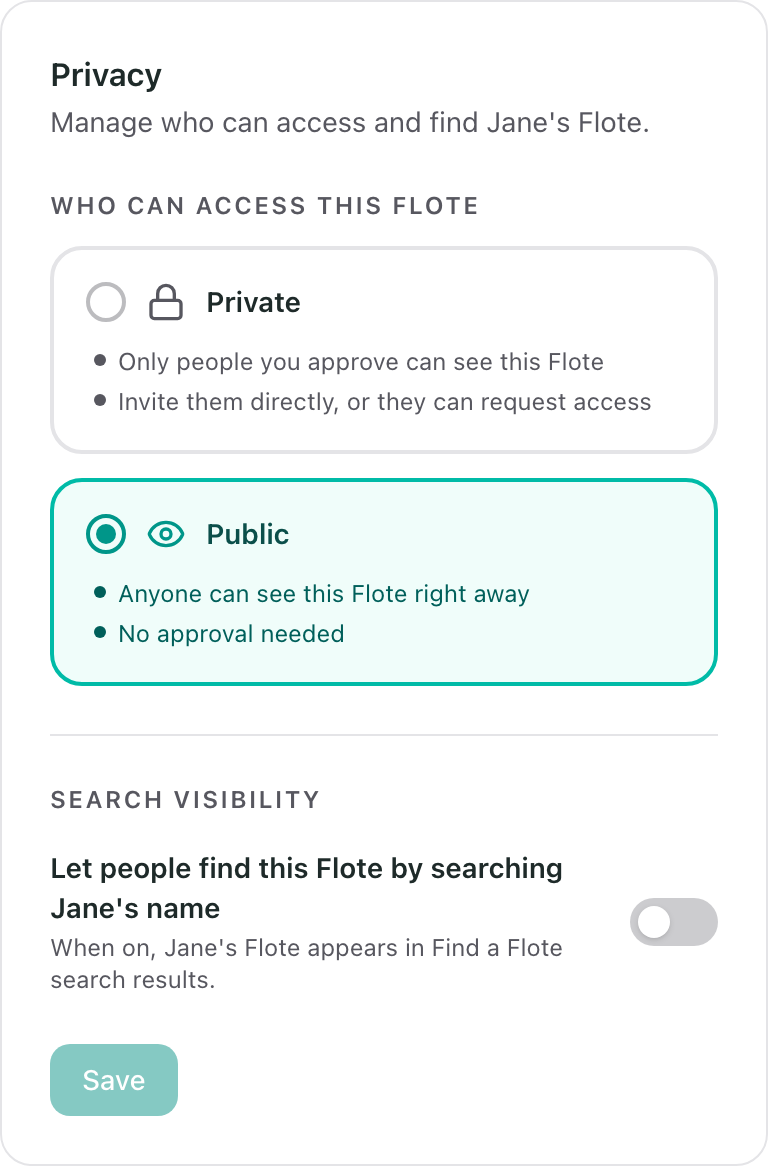
Choosing one also switches Search visibility to match: on for public, off for private. You can change it back before you save.
Changing the setting does not remove anyone. If you switch to private, everyone already in the support circle keeps access, including followers, and anyone else who opens the link sees Request access instead. To take someone's access away, see Remove someone from your Flote.
Related articles
Was this article helpful?